To convert MB to GB, divide by 1,000: 1 GB = 1,000 MB, so 2,500 MB is 2.5 GB. The numbers are easier to picture through two stories, how everyday activities add up to a monthly data plan and how USB flash drives grew from 8 MB to 128 GB, and through a calculator that turns a photo and video library into GB. You can jump straight to the calculator or browse all file size converters.
Quick MB to GB Reference
| Megabytes | Gigabytes | Context |
|---|---|---|
| 8 MB | 0.008 GB | An early USB flash drive, 2000 |
| 300 MB | 0.3 GB | The app update in the monthly example |
| 1,000 MB | 1 GB | Up to one hour of standard-definition video |
| 5,000 MB | 5 GB | A data plan that the example month exceeds |
| 7,792 MB | 7.792 GB | The complete example month |
| 10,000 MB | 10 GB | A plan with 2.208 GB left over |
| 128,000 MB | 128 GB | A modern 128 GB USB drive |
How Many MB Does Your Month Use?
A mobile-data allowance is usually sold in gigabytes, but many of the activities using that allowance are easier to estimate in megabytes. One web page may use only a few megabytes, while an hour of streaming can use hundreds or thousands. Adding these activities together shows how quickly a monthly total can move from MB into GB.
| Activity | Typical data use | Basis |
|---|---|---|
| One hour of Netflix in standard definition | Up to 1,000 MB | Netflix Help Center |
| One hour of Netflix in HD | Up to 3,000 MB | Netflix Help Center |
| One hour of music at Normal quality | About 43 MB | Calculated from the Normal setting on Spotify's audio-quality page |
| Loading one web page | About 2.2 MB (a home-page figure, so other pages may differ) | Median mobile home page of 2,164 kB in the 2025 Web Almanac |
| One minute of a WhatsApp voice call | About 0.3–0.5 MB | Estimates published by data-plan providers |
| One minute of a WhatsApp video call | About 5 MB | Estimates published by data-plan providers |
| One WhatsApp photograph | About 0.1–0.5 MB | Estimates published by data-plan providers |
These figures are planning estimates rather than guarantees. Netflix publishes maximum usage per hour and per device, while messaging figures vary with call quality, compression, connection conditions and the files being shared. A phone's data-usage screen provides the best record of actual consumption.
Web pages and other relatively small files are also sometimes reported in kilobytes. Dividing a kB figure by 1,000 gives megabytes, so the 2,164 kB median home page above is 2.164 MB.
Converting the Monthly Total from MB to GB
This page uses decimal file-size units, where 1 GB equals 1,000 MB. To convert megabytes to gigabytes, divide the number of megabytes by 1,000:
GB = MB ÷ 1,000
The calculation can also be reversed when a mobile plan is advertised in gigabytes but its activities are listed in megabytes. Use the gigabytes to megabytes converter to express the complete allowance in MB before subtracting downloads, streaming and other usage.
For example, a collection using 2,500 MB occupies:
2,500 MB ÷ 1,000 = 2.5 GB
Some tools divide by 1,024 instead, so figures can differ slightly. This page uses 1 GB = 1,000 MB, the convention of mobile plans and storage labels.
Adding Up an Illustrative Month
Consider one person who streams video and music, browses the web, downloads an application update and uses WhatsApp while connected to mobile data. The activity levels below are invented to demonstrate the calculation.
| Activity | Monthly assumption | Megabytes | Gigabytes |
|---|---|---|---|
| Video streaming | 6 hours of standard-definition video at up to 1,000 MB per hour | 6,000 MB | 6 GB |
| Music | 20 hours at approximately 43.2 MB per hour | 864 MB | 0.864 GB |
| Web browsing | 100 pages at approximately 2.2 MB each | 220 MB | 0.22 GB |
| Downloads | One 300 MB application update | 300 MB | 0.3 GB |
| Messaging | 2 hours of voice calls, 1 hour of video calls and 200 shared photographs | 408 MB | 0.408 GB |
| Total | 7,792 MB | 7.792 GB |
The month uses 7,792 MB. Applying the conversion formula gives:
7,792 MB ÷ 1,000 = 7.792 GB
A 5 GB allowance would not cover this example, while a 10 GB plan would leave 2.208 GB available. Video accounts for 6,000 MB, about 77% of the total, so its quality setting has the greatest effect.
If the same six hours were streamed at a setting using no more than 700 MB per hour, video would consume 4,200 MB and the monthly total would fall to 5,992 MB, or approximately 5.992 GB.
How Quality Settings Can Reduce Data Use
Video quality has the biggest effect. Netflix's mobile Save Data setting, about six hours per GB, would cut the six hours of video from as much as 6,000 MB to about 1,000 MB, and the month from 7,792 MB to about 2,792 MB (2.792 GB). Moving music (864 MB) and the application update (300 MB) to Wi-Fi would remove a further 1,164 MB, leaving about 1,628 MB. Keep a small margin below the plan limit, because background activity and network overhead add to the measured total.
How Big Is Your Photo and Video Library? A GB Calculator
Photos, video and documents are each measured in megabytes, but storage allowances are sold in gigabytes. Enter what you have below. The calculator adds it up in MB, divides by 1,000 to give GB, and shows which common allowance sizes it fits. The sizes are typical, not exact, and you can change any of them.
How the Estimate Works
The calculator multiplies each quantity by its typical size, adds the results in megabytes, and converts the total with GB = MB ÷ 1,000, using decimal units where 1 GB is 1,000 MB. Video is entered in minutes or hours and priced per minute. The growth margin simply adds a percentage to the total, because libraries only grow.
A Worked Example
| Item | Working | MB | GB |
|---|---|---|---|
| Photos | 4,000 × 2.5 MB | 10,000 MB | 10 GB |
| Video | 20 h × 60 min × 60 MB | 72,000 MB | 72 GB |
| Documents | 500 × 1 MB | 500 MB | 0.5 GB |
| Total | 82,500 MB | 82.5 GB |
The library is 82.5 GB (82,500 ÷ 1,000). It is far beyond a 5 GB or 15 GB allowance but fits within 100 GB, with 17.5 GB to spare. Video is 72,000 of the 82,500 MB, about 87%. If the same 20 hours were recorded in 4K at 30 frames a second (20 × 60 × 170 = 204,000 MB), the total would be 214.5 GB, which is more than a 200 GB allowance. The video setting matters far more than the number of photos.
Where the Sizes Come From
| Item | Size used | Basis |
|---|---|---|
| Standard phone photo | 2 to 5 MB (2.5 MB default); 12 MP JPEG about 3 to 4 MB | SamMobile |
| 12 MP RAW photo | About 25 MB (about 75 MB at 48 MP) | Apple Support (Apple ProRAW) |
| Video, per minute | 40 MB (720p), 60 MB (1080p, 30 fps), 90 MB (1080p, 60 fps), 135 MB (4K, 24 fps), 170 MB (4K, 30 fps), 400 MB (4K, 60 fps) | Apple's approximate iPhone camera figures, reported by TechRadar |
| One document | 1 MB | An assumption for ordinary files; change it if yours differ |
| Allowance sizes | 2, 5, 15, 100 and 200 GB | Common sizes for comparison only; providers' plans change |
Other phones, codecs and settings give different sizes, so use the custom options for your own figures. To find your own photo average, divide the storage your photos use, in GB, by the number of photos and multiply by 1,000: 7.8 GB across 3,000 photos is 7.8 × 1,000 ÷ 3,000 = 2.6 MB each. Your phone's storage screen shows what you really use, and this calculator is only an estimate.
How Portable Storage Grew from Megabytes to Gigabytes
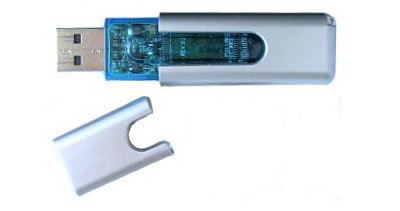
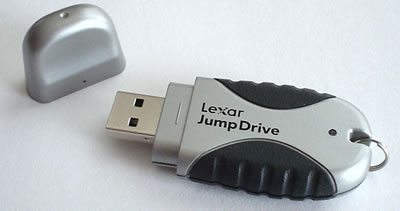
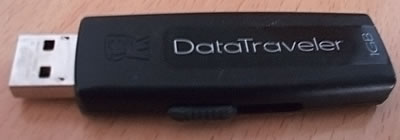
USB flash drives provide another clear example of the move from MB to GB. In 2000, Trek 2000 introduced its 8 MB ThumbDrive, and IBM began selling M-Systems' 8 MB DiskOnKey later that year. A common floppy disk held 1.44 MB, so an 8 MB flash drive stored approximately 5.6 times as much data.
The Computer History Museum's history of portable storage describes how flash drives helped replace floppy disks. The device remained small enough to fit in a pocket, but improvements in flash-memory density allowed its capacity to grow from a few megabytes to many gigabytes.
An 8 MB drive is only 0.008 GB. A modern 128 GB drive contains an advertised 128,000 MB, which is 16,000 times the capacity of the original 8 MB example. Storage collections can eventually grow well beyond gigabytes when several drives or large backups are combined.
USB Flash Drives Across the MB-to-GB Transition
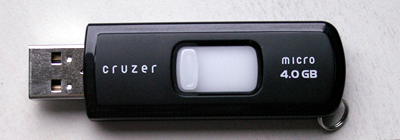
Whether the starting point is a month of streaming or a flash drive, the rule is the same: divide megabytes by 1,000 to get gigabytes, or use the GB to MB converter to go back the other way.
Figures on this page are checked against the sources linked above. Spotted an error? Contact us.